
Sunday Reset Routine: A Simple Checklist for a Calmer Week
Table of Contents
In short
A Sunday reset routine is one short, timed pass through the parts of your home and week that make Monday harder: laundry, the kitchen, the main surfaces, paperwork, the week’s plan and a small Monday setup. Set a 60-minute timer, work through the six steps in order, and stop when the timer ends. Short on time? Do only the starred essentials in about 20 minutes.
Want the one-page version? Get the free Weekly Reset sheet to print, or open the online Weekly Reset with a built-in timer. Both follow the same six steps as this guide.
What is a Sunday reset routine?
A Sunday reset is a short block of time, usually on Sunday afternoon or evening, when you put the house and the coming week back into a workable state. It is not a deep clean, and it is not a full plan for your life. It is a repeatable routine with a clear start and a clear end.
The idea is simple. During the week, small jobs pile up: a basket of clean laundry nobody folded, a sink with a few dishes, mail on the counter, a calendar you have not looked at. None of these is a big problem on its own. Together, they make Monday morning feel crowded before it starts. A Sunday reset clears the most important of these jobs in one focused pass, so the week begins from a lighter place.
At Vitality Plus, every reset follows the same method: pick one reset, set a timer, work top to bottom, and stop when the timer ends. The Sunday reset is the one we come back to most, because it touches the whole week instead of a single room.
Why does Monday feel heavy before the week even starts?
Most of the weight comes from unfinished decisions, not from dirt. When you see the laundry pile, part of your attention goes to “when will I deal with that?” When you see the mail, you wonder if there is a bill or a school form inside. When you have not looked at the calendar, you carry a vague sense that you might be forgetting something.
A Sunday reset does not try to finish every decision. It handles the few that affect the next few days: clean clothes for the week, a usable kitchen, a clear landing spot, the time-sensitive papers, three dinners and the first thing on Monday’s schedule. Once those are settled, the rest of the house can wait until its own reset.
This is also why the routine has a time limit. Without one, “a quick tidy” can turn into an afternoon of reorganizing the hall closet. The timer keeps the reset small enough to repeat every week, and repetition is what makes the house easier to keep.
How long does a Sunday reset take?
The full routine takes 60 minutes. The essentials route takes about 20 minutes. Here is how the hour is split:
| Step | What you reset | Time |
|---|---|---|
| 1. Laundry | One load, stray clothes, one small stack folded | 8 minutes |
| 2. Kitchen | Counters, dishes, stovetop and sink | 15 minutes |
| 3. Surfaces | Drop zone, shoes, living room, dining table | 12 minutes |
| 4. Paperwork | Time-sensitive mail, junk mail, filing, receipts | 10 minutes |
| 5. Calendar + meals | Key events, three dinners, grocery list | 5 minutes |
| 6. Monday setup | Bags, keys, shoes, coats, breakfast, first commitment | 10 minutes |
| Total | 6 steps, 23 tasks | 60 minutes |
The times are a guide, not a test. In a small apartment, the surfaces step may take five minutes. In a house with three children, the laundry step may use every second. If one step runs over, take the time from a later step or move on when its time is up. The timer matters more than finishing every line.
Before you start: three small rules
These rules keep the reset calm and keep it from growing into a project.
- Set one timer for the whole reset. Use a kitchen timer, your phone, or the timer in the online Weekly Reset. When it rings, you are done, even if a task is half finished.
- Work top to bottom. Go through the steps in order. Laundry comes first because the machine can run while you do everything else.
- Reset, do not reorganize. If you find a drawer that needs a new system, write it down for another day. A reset puts things back in a usable state; it does not redesign the space.
It also helps to have three things within reach before the timer starts: a laundry basket for items that belong in another room, a small bag for recycling, and one folder or tray for papers. That way you are not walking back and forth looking for a place to put things.
The Sunday reset routine, step by step
Each step below lists its time and its tasks. Tasks marked with a star (★) are the essentials: if you do only those, you still get most of the benefit.
Step 1: Laundry — 8 minutes
Laundry goes first because it keeps working after you walk away. Once a load is running, the next fifty minutes count twice.
- ★ Start one load of laundry.
- Gather stray clothes into hampers.
- Fold one small stack of clean clothes.
- Put folded clothes where they belong.
Choose the load that matters most for the week ahead: work clothes, school uniforms, or the towels you are about to run out of. “One small stack” really means small. Fold what fits in a few minutes and leave the rest of the basket for an evening during the week. The goal is to stop laundry from blocking Monday, not to empty every hamper.
Step 2: Kitchen — 15 minutes
The kitchen gets the longest step because it is used several times a day. A clear counter and an empty sink make every meal of the coming week easier to start.
- ★ Clear and wipe kitchen counters.
- Load or unload the dishwasher.
- Wash dishes left in the sink.
- Wipe the stovetop and sink.
Start with the counters: put away anything that does not belong there, then wipe them with your usual cleaner and a cloth. Then deal with dishes. If the dishwasher is full of clean dishes, unload it first so the dirty ones have somewhere to go. Finish with a quick wipe of the stovetop and the sink. You do not need to clean inside the oven or the fridge today. Those have their own resets.
If you have a lot of dishes, set a mini-limit of eight minutes for them and spend the rest on the counters and stovetop. A clear counter with a few dishes left to soak is still a better start to the week than a spotless sink and a counter covered in groceries and mail.
Step 3: Surfaces — 12 minutes
Surfaces are where the week’s leftovers collect: keys, bags, toys, cups, chargers and shoes. This step gives each of them a quick ride back to where it lives.
- ★ Clear the main drop zone.
- Put stray shoes where they belong.
- Return living room items to their spots.
- Wipe the dining table.
The drop zone is the place things land when people come home: often a table by the door, the end of the kitchen counter, or a chair. Clear it first, using your basket for items that belong in another room. Then walk through the living room once and return what is out of place. Do not stop to sort a box or a shelf. Finish with the dining table, because it is often where Monday’s breakfast, homework or laptop will go.
If your entryway is the real problem area, give it its own time on another day. Our 35-minute entryway reset handles shoes, coats, bags and the landing spot in more detail, and you can also run it with the online Entryway Reset timer.
Step 4: Paperwork — 10 minutes
Paper is small, but it carries deadlines. Ten minutes is enough to make sure nothing important is hiding in the pile.
- ★ Gather time-sensitive mail in one spot.
- Recycle junk mail and flyers.
- File two papers you need.
- Collect receipts in one place.
Pick up every piece of paper from the counters, the drop zone and the table, and sort it quickly. Anything with a date on it, such as a bill, a form to sign, an invitation or an appointment card, goes into one folder or tray. Junk mail and flyers go straight into recycling. Then file just two papers you need to keep. Two is a deliberately small number: it keeps filing from taking over the reset, and two papers every week is more than a hundred a year. Put receipts in one envelope or box so you know where to look later.
Step 5: Calendar + meals — 5 minutes
This is the shortest step, and it is the one that makes the biggest difference to how the week feels.
- ★ Add key events to the calendar grid.
- ★ Choose three simple dinners.
- List groceries you already need.
Look at the week ahead and write down only what matters: appointments, early starts, late pickups, deadlines. The free Weekly Reset sheet has a small “This week at a glance” grid for this; empty days are fine. Then choose three simple dinners. Not seven, and not a full meal plan. Three dinners you know how to make cover the busiest nights, and leftovers or easy meals can fill the rest. Finally, write down the groceries you already know you need. You can add to the list during the week.
Step 6: Monday setup — 10 minutes
The last step moves a few Monday-morning decisions to Sunday, when you have more time to make them.
- ★ Put bags and keys by the door.
- Check tomorrow’s first commitment.
- Set out shoes and coats.
- Choose tomorrow’s simple breakfast.
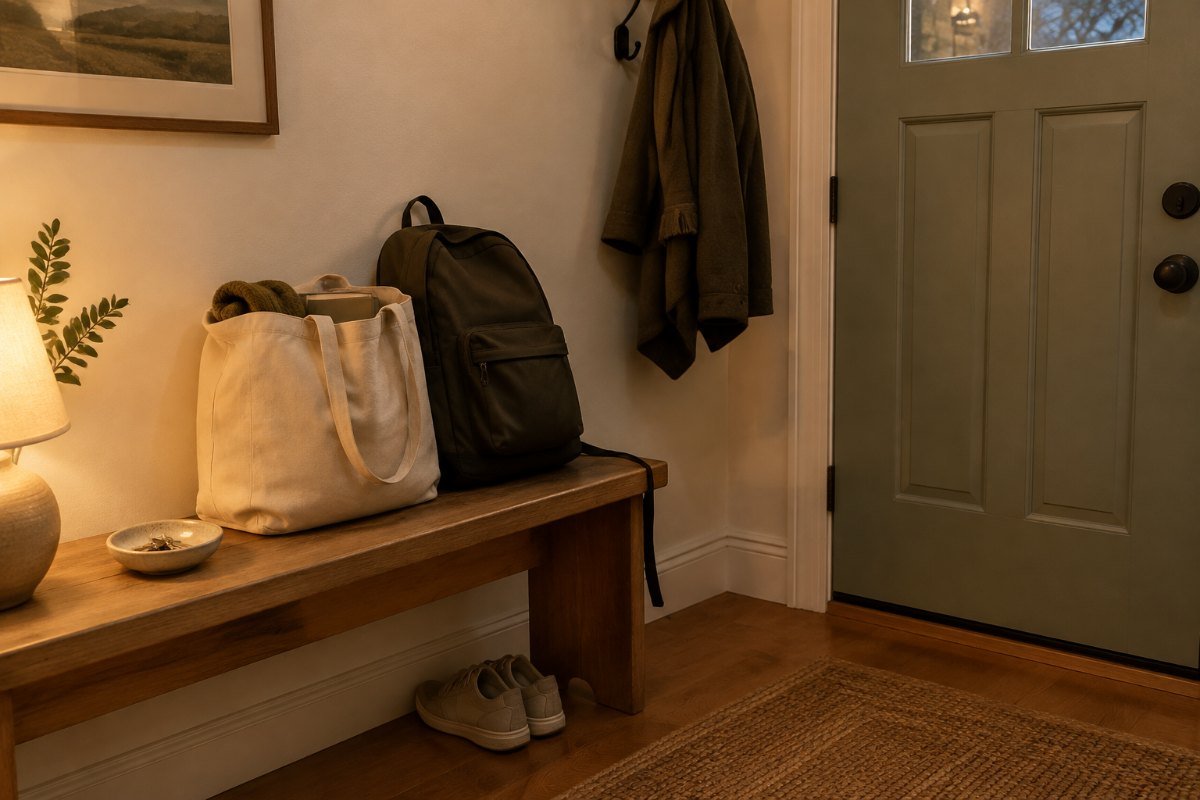
Pack the bags you need tomorrow, such as a work bag, school bags or a gym bag, and put them by the door with your keys. Check the time and place of your first commitment on Monday, so you know when you need to leave. Set out shoes and coats for the weather. Then decide on breakfast. It can be as simple as “oatmeal and fruit,” but deciding now means one fewer choice when the morning is busy.
When the timer ends, stop. If the laundry has finished, move it to the dryer or a drying rack on your way out of the room. That is the end of the reset.
If you have only 15 minutes
Some Sundays do not have an hour in them. On those days, do only the starred tasks. There are seven of them, and together they take about 20 minutes:
- Start one load of laundry.
- Clear and wipe kitchen counters.
- Clear the main drop zone.
- Gather time-sensitive mail in one spot.
- Add key events to the calendar grid.
- Choose three simple dinners.
- Put bags and keys by the door.
If you truly have only 15 minutes, keep the order and give each task about two minutes. Counters and the drop zone may not be perfect, and that is fine. The point of the essentials route is that Monday starts with clean clothes on the way, a usable kitchen, a clear landing spot, no hidden deadlines, a rough plan for dinner and everything you need by the door.
A short reset done every week is worth more than a long one done once a month. If the full hour keeps slipping, make the essentials route your default and add one full step when you have time.
Adjust it to your household
The six steps stay the same, but who does what, and how long each step takes, can change with your home.
With kids
Give children one clear job per step instead of asking them to “help clean.” A young child can put shoes in the right place or carry toys back to their room. An older child can load the dishwasher or pack their own school bag during the Monday setup. A short list on the fridge with their name next to two or three tasks works better than reminders. Expect the reset to be a little less tidy, and keep the timer anyway.
With a partner or roommates
Split the steps rather than the rooms. One person takes laundry and the kitchen, the other takes surfaces and paperwork, and you do the calendar together in the last five minutes, because that is where the week’s plans meet. If you share a home with roommates, agree on the shared spaces only: the kitchen, the living room and the entryway. Personal rooms are each person’s own business.
In a small apartment
A small space usually needs less time for surfaces and more care with paper and laundry, because there are fewer places to hide them. Try a 40-minute version: keep laundry, kitchen, paperwork, calendar and Monday setup as written, and shorten surfaces to a five-minute sweep of the drop zone and the table. If you use a shared laundry room, start the load as the very first thing so the machines are free.
If you work from home
Add your desk to the surfaces step. Clear cups and papers, put the laptop charger back where it lives, and leave the desk with only what you need for Monday’s first task. During the Monday setup, check your first meeting or deadline as your “first commitment.” Closing the work week on a clear desk also makes it easier to stop thinking about work on Sunday evening.
If Sunday does not work for you
Nothing about this routine requires Sunday. If you work weekends, do the same reset on the evening before your first workday, whatever day that is. The online Weekly Reset is built around “whenever your week starts,” not a specific day.
How to keep it between resets
The Sunday reset works best when the house does not drift too far during the week. A few tiny habits keep it within reach:
- Close the kitchen each night. Before bed, clear the counters and start the dishwasher if it is full. Two minutes in the evening saves ten on Sunday.
- Keep one place for incoming paper. Mail goes into the same folder or tray every day, even if you do not open it. Sunday’s paperwork step then takes five minutes instead of ten.
- Return the drop zone once midweek. On Wednesday, give the landing spot by the door a 30-second clear. It stops the pile from building into a project.
- Fold one small stack when a load finishes. Folding in small amounts keeps the laundry step from starting with a mountain.
- Look at the calendar once in the middle of the week. A quick check on Wednesday catches anything new that was added after Sunday.
None of these is required. Pick the one that matches the step that takes longest for you, and try it for two weeks.
Common Sunday reset mistakes
Most Sunday resets stop working for the same few reasons. Each has a simple fix.
- Turning it into a deep clean. Scrubbing the shower or cleaning out the fridge belongs to a room reset, not the weekly one. Keep a short list of bigger jobs and give each its own timer on another day.
- Skipping the timer. Without an end time, the reset feels endless, and an endless chore is easy to avoid next week. The timer is what makes it repeatable.
- Starting with the hardest room. The order in this routine is deliberate. Laundry starts first because it runs in the background; the calendar and Monday setup come last because they depend on what you found along the way.
- Planning every meal. Seven dinners is a lot to decide on a Sunday evening. Three is enough to cover the busiest nights.
- Adding self-improvement goals. A Sunday reset can make the week feel calmer, but it does not need to carry your fitness plan, budget review and reading list too. Keep it about the house and the week’s logistics. Add other routines separately if you want them.
When to add a room reset
The Sunday reset keeps the whole home in working order, but it moves quickly past individual rooms. If the same area keeps slowing you down every week, such as shoes piling up by the door or a bathroom that never quite gets done, give that room its own short reset on a different day.
A good rule: if one step of your Sunday reset runs over its time three weeks in a row, the area behind it needs its own reset. Start with the space you use most when leaving the house. For many households, that is the entryway, and our entryway reset checklist covers it in 35 minutes, with a 15-minute version. You can find every reset we have published, with printable and online versions, on the reset tools page.
Frequently asked questions
What is a Sunday reset routine?
A Sunday reset routine is a short, timed block on Sunday when you put your home and your week back in order. It covers laundry, the kitchen, the main surfaces, paperwork, the week’s calendar and meals, and a small Monday setup. It is a reset, not a deep clean.
How long should a Sunday reset take?
About 60 minutes for the full routine, or about 20 minutes for the essentials route. Set one timer for the whole reset and stop when it ends, even if a task is unfinished.
What should I do first in a Sunday reset?
Start a load of laundry. It runs while you do the rest of the reset, so by the time you finish the kitchen and the surfaces, the load is nearly done.
What is the difference between a Sunday reset and a deep clean?
A Sunday reset returns the home to a usable state for the week: clear counters, clean clothes on the way, a clear drop zone and a basic plan. A deep clean goes further into one area, such as scrubbing the bathroom or cleaning out the fridge. Keep deep cleaning for separate, room-by-room resets.
Can I do a Sunday reset on a different day?
Yes. The routine works on whichever day your week starts. If you work weekends, do it on the evening before your first workday.
How do I do a Sunday reset with kids?
Give each child one or two specific tasks, such as putting shoes away, carrying toys to their room or packing their own school bag. Short, named jobs work better than asking children to help clean in general.
What if I only have 15 minutes?
Do only the seven starred tasks: start laundry, clear the counters, clear the drop zone, gather time-sensitive mail, add key events to the calendar, choose three dinners, and put bags and keys by the door. Give each about two minutes.
Should I plan meals during a Sunday reset?
Plan a little. Choose three simple dinners and list the groceries you already know you need. That covers the busiest nights without turning the reset into a full meal-planning session.
Do I need special cleaning products for a Sunday reset?
No. Use the cleaners you already have, and follow the directions on their labels. A cloth, a laundry basket for items that belong elsewhere, a recycling bag and one folder for papers are enough.
Is there a printable Sunday reset checklist?
Yes. The free Weekly Reset sheet has the same six steps and 23 tasks on one page, with a small weekly calendar and grocery list. If you prefer to work from your phone, the online Weekly Reset has the same checklist with a built-in timer.
Last updated: October 26, 2026